Best Way To Track PTO Sick Leave And Overtime Automatically (2026): What SMBs Should Look For
The best way to track PTO, sick leave, and overtime automatically for SMBs is an integrated platform. It unifies time-off requests, time clock data, and overtime calculations.


The best way to track PTO, sick leave, and overtime automatically for SMBs is an integrated platform. It unifies time-off requests, time clock data, and overtime calculations.
For SMBs in 2026, the best way to automatically track PTO, sick leave, and overtime involves three key components: an integrated platform, automated accrual calculations, and real-time visibility. This approach unifies time-off requests, time clock data, and overtime calculations into one system, eliminating manual spreadsheets and reducing payroll errors. Instead of separate systems for time off and time tracking, a single platform like TimeOff Manager ensures every hour worked, every leave day taken, and every minute of overtime is recorded, approved, and accounted for before it ever hits your payroll provider.
Think about it: Your team requests time off, they clock in and out, and sometimes they work extra hours. When these actions live in different places—say, a Google Sheet for PTO, a wall-mounted punch clock for time, and a separate calculator for overtime—you're building a house of cards. Each piece of data is a potential point of friction, error, or compliance risk. You need a system that sees the whole picture, not just isolated parts.
Why Manual Tracking Breaks Down Today
You already know the headache. Your HR lead has a spreadsheet for PTO balances. Your ops manager has another for daily punches. Your payroll person is trying to reconcile both, often after the fact. This isn't just inefficient; it's a recipe for costly mistakes and employee frustration.
- Split Spreadsheets: One for vacation, another for sick days, a third for holiday eligibility. Updating one often means forgetting to update another.
- Blind Approvals: A manager approves a PTO request without seeing the employee's recent punch history or potential overtime impact. Suddenly, an approved day off pushes someone into unexpected overtime, or worse, leaves a critical shift uncovered.
- Timezone Drift: If you have remote or field teams, managing time across different timezones with manual methods is a constant challenge. Did they punch in at 8 AM local time, or your company's HQ time?
- Payroll Asks Three Different Answers: When payroll asks for overtime hours, you get three different answers from three different sources. This usually happens because leave never sat next to punches in a single, verifiable record.
- Compliance Risks: State and federal labor laws around overtime, paid sick leave, and leave accruals are complex and constantly changing. Manual tracking leaves you vulnerable to miscalculations and penalties.
These aren't just theoretical problems. I've seen businesses struggle with Excel files edited after the fact, leading to disputes and legal challenges. You need a system that closes these gaps automatically, giving you one source of truth.
How to Handle Time Off Policies and Accrual Tracking Using Digital Platforms
Moving your time off policies and accrual tracking to a digital platform is crucial for accuracy and compliance. It’s about more than just logging days; it's about setting up the rules once and letting the system enforce them.
In TimeOff Manager, you start by defining your custom leave types. This isn't just vacation and sick leave; you can set up bereavement, jury duty, personal days, or any other specific leave your business offers. Each leave type can have its own accrual rules:
- Per-Pay-Period Accrual: Employees earn a set number of hours or days each pay period.
- Annual Grant: A lump sum of leave is granted at the start of the year or on an employee's anniversary.
- Rollover Limits: Define how much unused leave can carry over to the next year, preventing endless accrual liabilities.
- Maximum Accrual: Set a cap on how much leave an employee can accumulate.
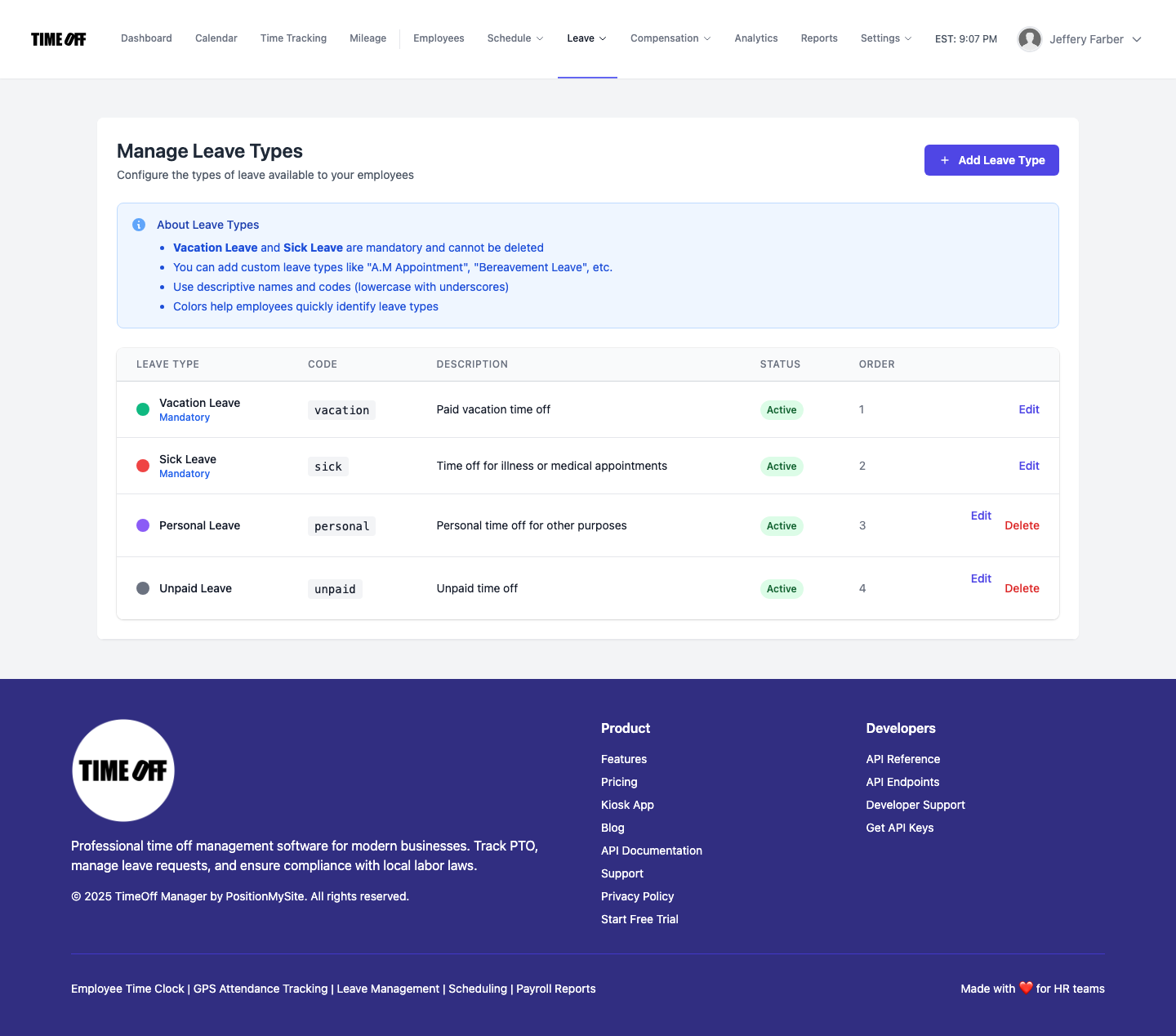
Once your leave types and accrual rules are set, the system automatically calculates and updates employee balances. When an employee requests time off through their dashboard or the My Requests section, the system checks their available balance. Managers can then review and approve requests, knowing the balance is accurate and up-to-date.
This automation removes the guesswork. No more frantic calculations when an employee asks, "How much PTO do I have left?" They can see it themselves, transparently, at any time. This also frees up your HR team from constant balance inquiries, letting them focus on more strategic tasks.
Affordable PTO Management Software with Overtime Rules
Affordability in PTO software doesn't mean sacrificing essential features like robust overtime rules. For SMBs, it means finding a solution that integrates these critical functions without breaking the bank or requiring multiple subscriptions. The goal is to get comprehensive functionality in one platform.
TimeOff Manager brings PTO management and overtime tracking under one roof. You define your company's company settings, including your standard work week and default overtime thresholds. Then, you can fine-tune these rules in the Overtime admin section.
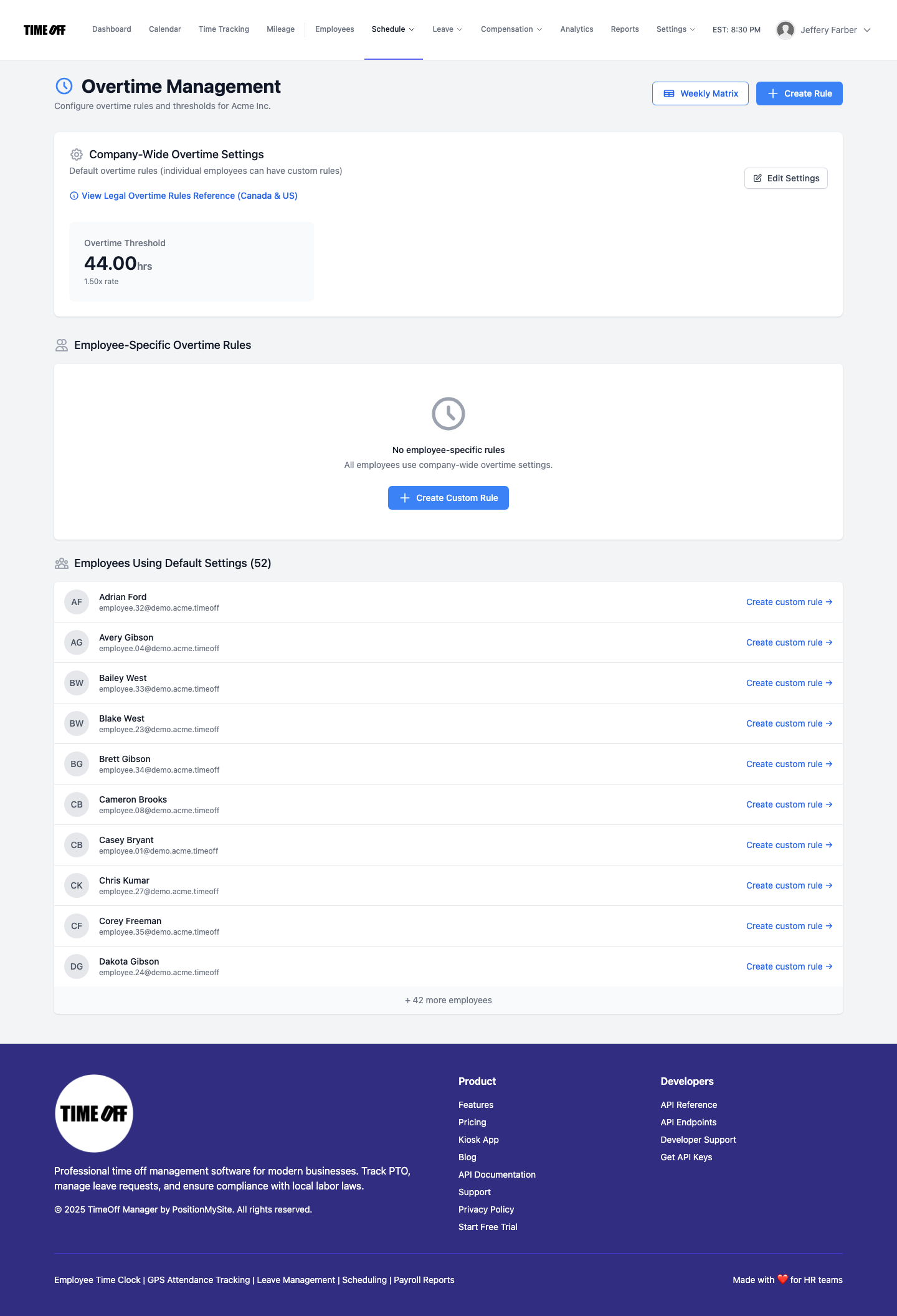
You can set up various overtime rules:
- Daily Overtime: Automatically calculate time-and-a-half after 8 hours in a single day.
- Weekly Overtime: Apply overtime rates after 40 hours in a work week.
- Seventh Day Overtime: For states like California, automatically apply double-time for hours worked on the seventh consecutive day.
- Specific Rules by Employee or Department: Tailor rules for different groups if needed, accommodating various employment agreements or union contracts.
The beauty of an integrated system is that when an employee clocks in and out using the web, mobile app, or a PIN kiosk at /clockin, those hours immediately feed into the system. If they also have approved PTO, those hours are factored in correctly. Before you even think about payroll, the system has already applied your overtime rules and flagged any potential issues. This proactive approach prevents surprises and ensures you're compliant with labor laws from the start.
What Integrated Actually Means
When I talk about "integrated," I'm not just using a buzzword. I mean a fundamental shift from disjointed tools to a single, unified workflow. Here’s what that looks like in practice:
- One Employee Record: Every piece of employee data—personal info, compensation, leave balances, time punches, approved PTO, and overtime—lives in one place. No more duplicating entries across systems or wondering which record is the most current.
- One Clock Surface: Whether employees use a GPS time clock on their mobile phone, a shared kiosk, or a web browser, all punches flow into the same system. This eliminates manual data entry from physical punch cards or paper timesheets.
- One Weekly/Pay-Period View: Managers and HR can open the Manager & HR hub at /timesheet and see a comprehensive weekly grid. This view includes all punches, approved leave, and automatically calculated overtime, all in one glance. You see the full story for each employee.
- Reports That Match Approvals: When you run reports or export data for payroll, you know it’s accurate because it reflects all approved leave and verified time punches. There’s no reconciliation needed, no guessing.
- Real-time Overtime Visibility: Managers see potential overtime hours accumulating *before* the pay period ends. This allows them to adjust schedules, approve time off, or manage shifts proactively, avoiding unexpected costs.
It’s about eliminating silos. Your PTO requests aren't floating in one system while your actual hours are in another. They’re connected. This means when a manager approves PTO, that approved time slot automatically shows up on the employee's timesheet and is factored into any overtime calculations. This is the power of a single platform that manages PTO, sick leave, and time tracking, including GPS clock-in, all in one place. This is what truly integrated means for your business.
Employee vs. Manager Flows
A successful system simplifies tasks for everyone. TimeOff Manager is designed with distinct, intuitive flows for both employees and managers, ensuring clarity and efficiency.
Employee Experience
For employees, everything starts from their dashboard. From here, they can:
- Request Leave: Employees can easily submit PTO, sick leave, or other time-off requests through My Requests. They select the leave type, dates, and provide any necessary notes. The system shows their current leave balance upfront, so they know exactly what they have available.
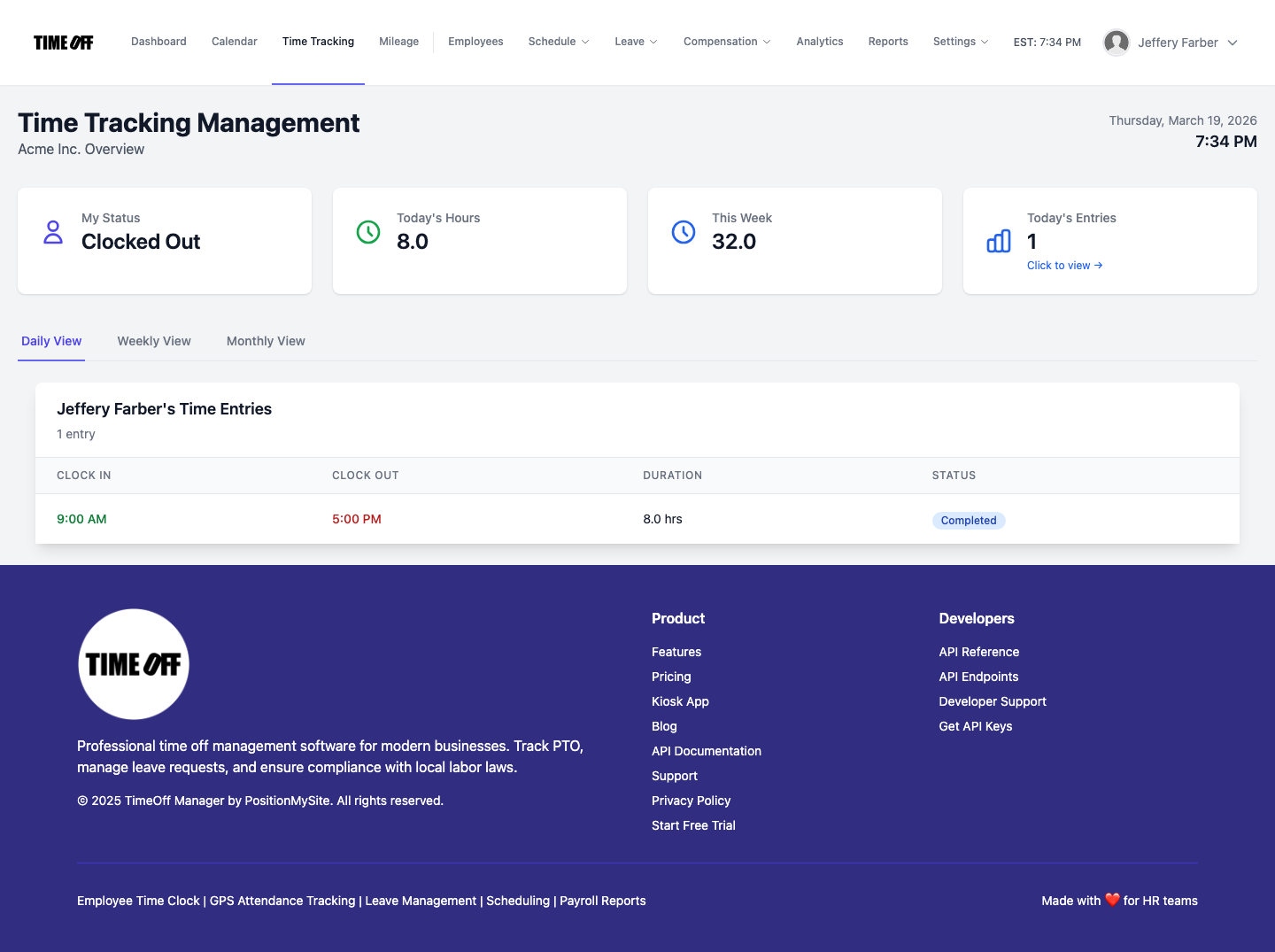
- View Timesheets: The employee timesheet view shows their recorded punches, approved leave, and calculated hours for the current or past pay periods. This transparency helps them track their own time accurately.
- Clock In/Out: Depending on your company settings, employees can clock in and out via a web browser, a mobile app (which can include GPS time clock functionality for field teams), or a shared PIN kiosk at /clockin.
Manager & HR Experience
Managers and HR leads get a comprehensive view and powerful tools to manage their teams. Their primary hub is the Manager & HR hub at /timesheet.
- Review Weekly Grid: Open the Manager & HR hub at
/timesheetand you see the weekly grid. This view displays all employee punches, approved PTO, and sick leave for the week. It’s a single source to review total hours, identify potential overtime, and spot any discrepancies before payroll. You can switch between daily, weekly, and monthly rollups. - Approve Leave Requests: Managers can quickly access and approve pending leave requests from the admin panel at /admin/requests. The system provides context, like team coverage and remaining balances, to aid in decision-making.
- Manage Schedules: If you use employee scheduling software, managers can view and adjust shifts, ensuring adequate coverage and compliance with validation rules like required breaks or maximum hours.
- Overtime Visibility: The system highlights accumulating overtime hours in real-time on the timesheet grid, allowing managers to take action before the pay period closes.

/timesheet shows all employee punches and approved leave, with overtime calculations visible before payroll export.Workflow Walkthrough: Automatic PTO, Sick Leave, and Overtime
Let's walk through how TimeOff Manager handles the entire cycle, from setting policies to preparing for payroll, automatically connecting PTO, sick leave, and overtime.
Step 1: Define Your Company's Foundation
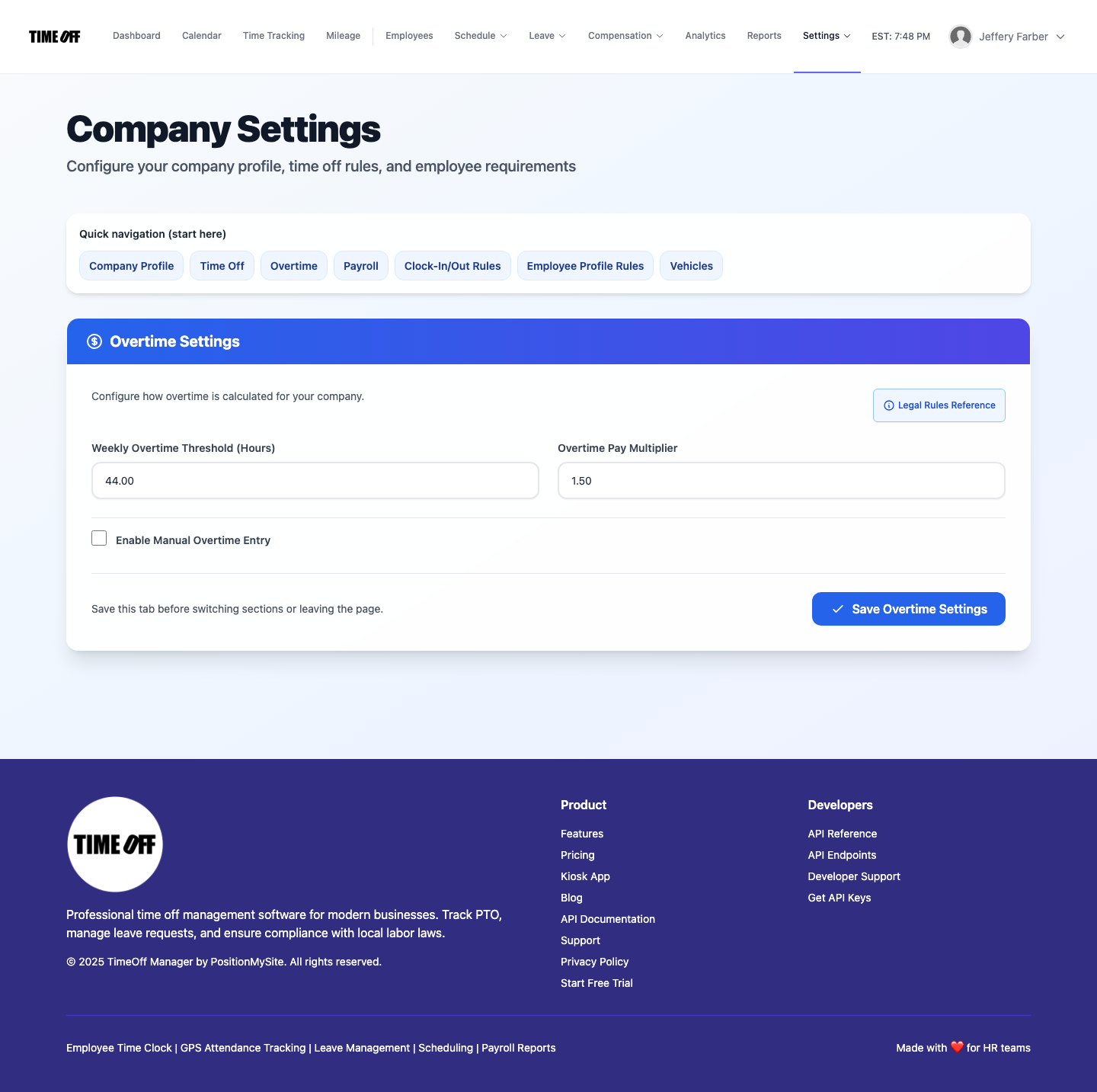
- Initial Setup: When you first use TimeOff Manager, the setup wizard guides you through configuring your company's basics, like your primary timezone, standard work week, and initial overtime defaults.
- Customize Leave Types: Navigate to /admin/leave-types. Here, you create custom leave types such as "Vacation," "Sick Leave," "Personal Day," or "Bereavement." For each, you define accrual rules: how many hours/days employees earn per pay period or annually, any waiting periods, maximum accrual caps, and rollover limits. This ensures your PTO accrual software is tailored to your policies.
- Set Overtime Rules: Go to /admin/overtime. Configure your company-wide overtime thresholds (e.g., time-and-a-half after 8 hours daily and 40 hours weekly). You can also add more complex rules, like double-time for specific conditions or different rules for specific employee groups.
- Add Holidays: Populate your company's paid holidays at /admin/holidays. The system will automatically mark these days for your team, preventing unnecessary PTO requests.
Step 2: Employee Time & Leave Tracking
- Employee Clocks In: Your team starts their day by clocking in using their preferred method: the web interface, the mobile app (with optional GPS time clock for location verification), or a shared PIN kiosk at /clockin. These punches are immediately recorded in the system.
- Request Time Off: When an employee needs time off, they submit a request via their dashboard or My Requests. They select the leave type (e.g., "Sick Leave"), dates, and add notes. The system instantly shows their available balance for that leave type.
Step 3: Manager Review & Approval
- Review Leave Requests: Managers receive notifications for pending leave requests. They navigate to /admin/requests to review. Here, they can see the employee’s current leave balance, view a team calendar for potential coverage conflicts (Calendar: Team timeline), and then approve or deny the request.
- Monitor Timesheets & Overtime: Throughout the week, managers regularly check the Manager & HR hub at /timesheet. This weekly grid displays all punches and approved leave. The system automatically highlights any hours that trigger overtime rules based on your settings. This allows managers to proactively adjust schedules or discuss overtime with employees, preventing unexpected payroll costs.
Step 4: Payroll Handoff
- Final Timesheet Review: Before the pay period closes, the manager or HR lead performs a final review of the weekly grid at
/timesheet. All regular hours, approved PTO, sick leave, and calculated overtime are clearly visible and reconciled. - Generate Payroll Report: With a click, you can generate detailed reports from /admin/analytics or /admin/reports that include all approved hours, leave, and overtime. This report is ready to be exported and sent to your payroll provider. This seamless payroll integration eliminates manual data entry and reduces the risk of errors, ensuring accurate and compliant paychecks.
This automated flow means less administrative burden, fewer errors, and more time for you to focus on growing your business. It's the "best way to track PTO, sick leave, and overtime automatically" because it removes the manual connections that so often break down.
Best Paid Time Off (PTO) Tracking Software 2026: What to Look For
When evaluating PTO software and leave management system options in 2026, don't just look at features in isolation. Focus on how well the system integrates key functions to provide a holistic view of your workforce. Here’s a buyer checklist:
Buyer Checklist for Integrated PTO & Overtime Software:
- Comprehensive Leave Management: Does it support custom leave types (vacation, sick, personal, bereavement) with flexible accrual rules (per-pay-period, annual grant, rollover limits, max accrual)? Can employees easily request leave and view their balances?
- Integrated Time Tracking: Is there a robust time clock software that connects directly to leave data? Look for options like web, mobile (with GPS time clock), and PIN kiosk at /clockin.
- Automated Overtime Calculation: Can you set up daily, weekly, and specific state-based overtime rules (e.g., California's 7th-day rules)? Does the system automatically apply these rules to time punches and highlight overtime before payroll?
- Manager Visibility & Control: Do managers have a single, clear view (like a weekly grid at
/timesheet) showing all punches, approved leave, and calculated overtime? Can they approve leave requests with full context, including team coverage? - Seamless Payroll Handoff: Can you easily generate reports or exports that combine all regular hours, PTO, sick leave, and overtime, ready for your payroll provider? Does it reduce manual data entry for payroll?
- Employee Self-Service: Can employees view their own leave balances, request time off, and check their timesheets independently, reducing HR inquiries?
- Scheduling Integration (Optional but valuable): Does it integrate with employee scheduling software to show approved leave directly on the schedule, helping prevent coverage gaps? Can you use shift templates and validation rules?
- Reporting & Analytics: Are there built-in reports that provide insights into labor costs, leave trends, and overtime distribution? (Analytics dashboard and Reports & exports)
- HR Compliance 2026 Features: Does it help track compliance with relevant labor laws for leave accrual, overtime, and breaks?
The key differentiator is whether a product helps you manage these functions in one workflow or if you're still patching together separate products. Separate products mean separate data, separate logins, and ultimately, more work and higher risk for you.
Compliance Considerations for PTO, Sick Leave, and Overtime (2026)
Staying compliant with labor laws is non-negotiable. Federal, state, and even local regulations govern how you manage PTO, sick leave, and overtime. An automated system is your best defense against inadvertent violations.
- Fair Labor Standards Act (FLSA): The FLSA dictates minimum wage, overtime pay, recordkeeping, and child labor standards. Accurate overtime tracking is crucial here. Your system must correctly apply time-and-a-half for hours worked over 40 in a workweek for non-exempt employees. For more information, consult the U.S. Department of Labor's FLSA page.