Leave: Manage requests (admin)
Approval queue: pending leave requests for your company or team, with approve/reject and employee PTO context.
/admin/requests
Roles
Company admin · HR manager · Manager (direct reports)
Manage Leave Requests at /admin/requests lists pending time-off submissions you’re allowed to act on. Approve or reject from here; employees are notified when status changes.
Purpose
Clear the approval queue without opening Calendar. Each row shows who requested coverage, dates, type, and supporting context your build provides (including PTO snapshots where available). For year-to-date balances across everyone you manage, use Leave: Employee summary (admin) at /admin/summary.
What’s on the page
- Title — Pending Leave Requests (or company name prefix for some super-admin views).
- Table — One row per pending request with actions to approve or reject.
- Scope — Company admins and HR see company-wide pending items; managers typically see direct reports only.
Who can use it
Managers, HR managers, and company admins with approval rights. Pure employees use My requests instead.
Product screenshot
Automated capture: full page after login as demo company admin.
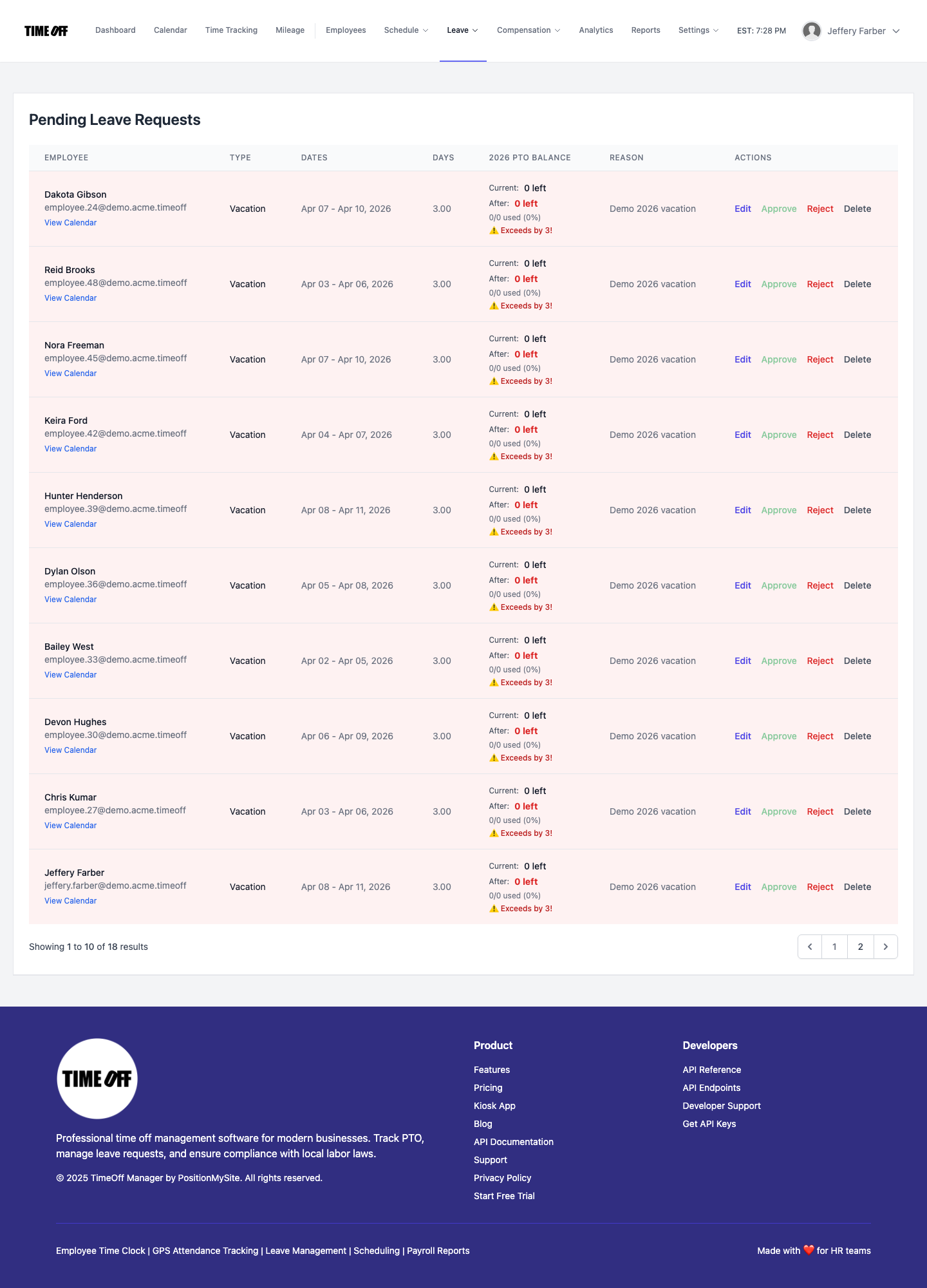
Leave — manage pending requests (Acme demo).