Reports & exports (admin)
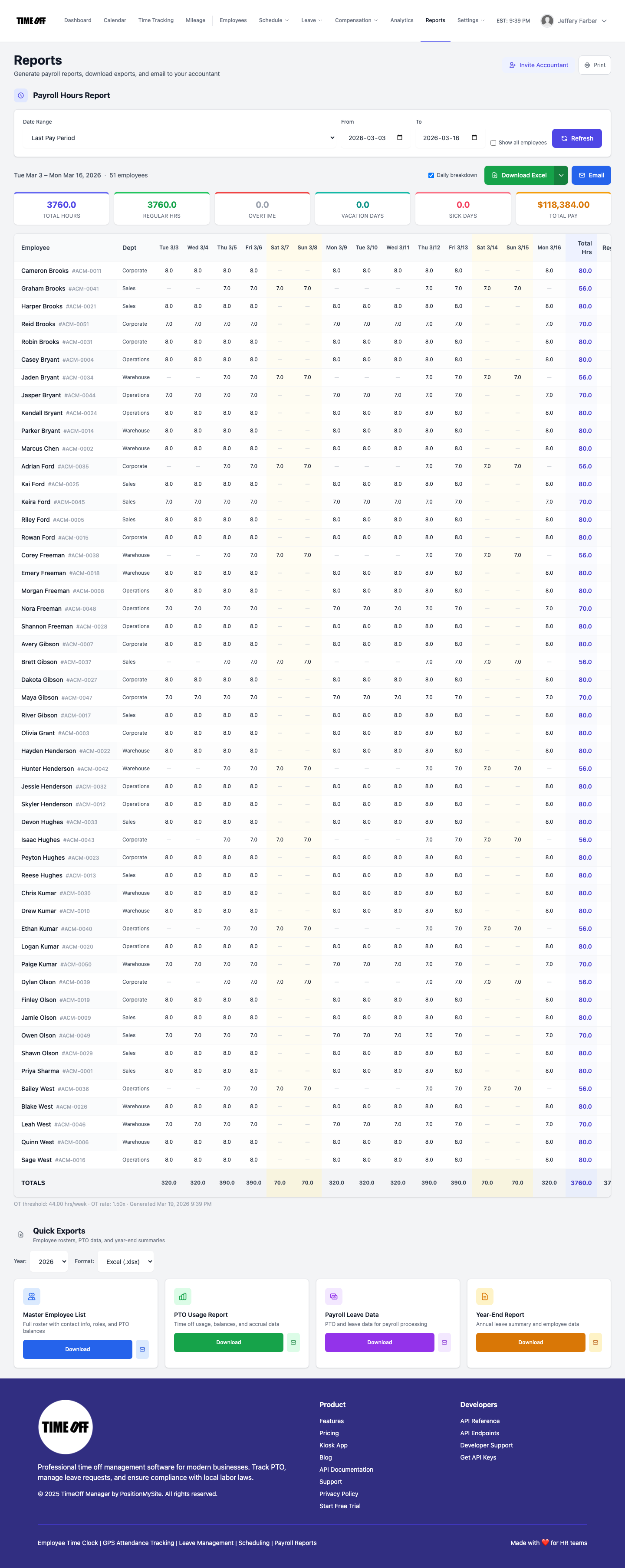
Hub at /admin/reports: Payroll Hours Report with date presets, refresh, daily breakdown, Excel/CSV download, email to accountant; Quick Exports for roster, PTO, payroll data, year-end; Invite Accountant link for company admins.
/admin/reports
Roles
Company admin · Super admin · HR manager · Accountant
Reports at /admin/reports is where authorized users build the Payroll Hours Report (hours, overtime, leave days, pay columns), download Excel or CSV, email the package to an accountant, and use Quick Exports for roster and payroll-related CSVs. Company admins can also open Invite Accountant when that module is enabled.
Overview
The page loads with a default date preset (often aligned to the company’s pay frequency) and automatically requests report data. You can change the range, toggle Show all employees, and use Refresh to regenerate. Results include summary tiles, an optional daily breakdown per employee, and totals. A separate Quick Exports section offers additional downloads (master list, PTO usage, payroll data, year-end, etc.) depending on your build.
Who can access
The route uses the accountant or admin gate: typically company administrators, super administrators, HR managers, designated accountants (read-focused access), and related admin roles. Users who are only basic employees are redirected away.
Payroll Hours Report
- Filters — Presets (this/last week, pay periods, months, custom), From / To, optional Show all employees, Refresh.
- Results — Summary metrics (total hours, regular, OT, leave days, total pay), detailed table, Daily breakdown toggle.
- Actions — Download Excel / CSV split, Email modal for sending to an address you choose, Print (browser print of report content).
- Empty / error states — If no time entries match the range, the UI surfaces a clear message; adjust dates or confirm time tracking data.
Quick Exports
Below the payroll-hours section, Quick Exports lists shortcuts to employee and payroll-related downloads (year selector and format options as implemented). These complement the main report for audits and handoff to payroll providers.
Related
Accountant access (invite) — /admin/accountant-access · Analytics dashboard · Payroll: Runs & history · Timesheet: Manager & HR hub · Employees: Admin roster (single-employee exports from profiles where available).
Product screenshot
Automated capture: full page after login as company admin, waiting for the Payroll Hours generate request to finish (results or “no time entries” message).
Reports & exports — /admin/reports