Overtime: Admin rules
Company overtime hub at /admin/overtime: company-wide thresholds, rule list, weekly matrix link, and Create Rule at /admin/overtime/create for per-employee overrides.
/admin/overtime
Roles
Company admin · Super admin
Overtime Management at /admin/overtime is where company administrators define how extra hours are handled for time-tracked staff: company-wide defaults on the hub, optional per-employee rules from /admin/overtime/create, and links to deeper tools like the weekly matrix.
Overview
Overtime logic usually combines global payroll / overtime settings for the company with employee-specific overrides where someone needs a different daily or weekly threshold, rate multiplier, or policy exception. The admin UI keeps the rule list, creation flow, and shortcuts in one place.
Overtime Management
On /admin/overtime you typically see:
- Header — Overtime Management scoped to the company name.
- Super admin company picker — when you manage multiple companies, URLs may include
?company_id=…. - Weekly Matrix — shortcut to review hours in a grid (where enabled).
- Create Rule — opens the per-employee rule form.
- Company-wide settings — baseline thresholds and behavior before individual overrides.
- Active rules table — employees with custom rules and management actions.
- Employees without rules — reminders to add policies where only the company default applies.
Create Rule
/admin/overtime/create builds a custom overtime rule for one employee. You choose the person (time-tracking–enabled users), then set standard hours, thresholds, multipliers, and any other fields your tenant exposes. Saving stores the rule so it overrides company defaults for that user until edited or deactivated.
Breadcrumbs link back to the main Overtime hub.
Company settings
High-level overtime and payroll toggles also appear under Company settings (Overtime / Payroll tabs). Use this admin overtime area for the rule catalog and employee-specific rows; use company settings for baseline policy.
Who can access
Company administrators and super admins. Regular employees do not manage company overtime rules.
Product screenshots
Hub and create form (demo tenant).
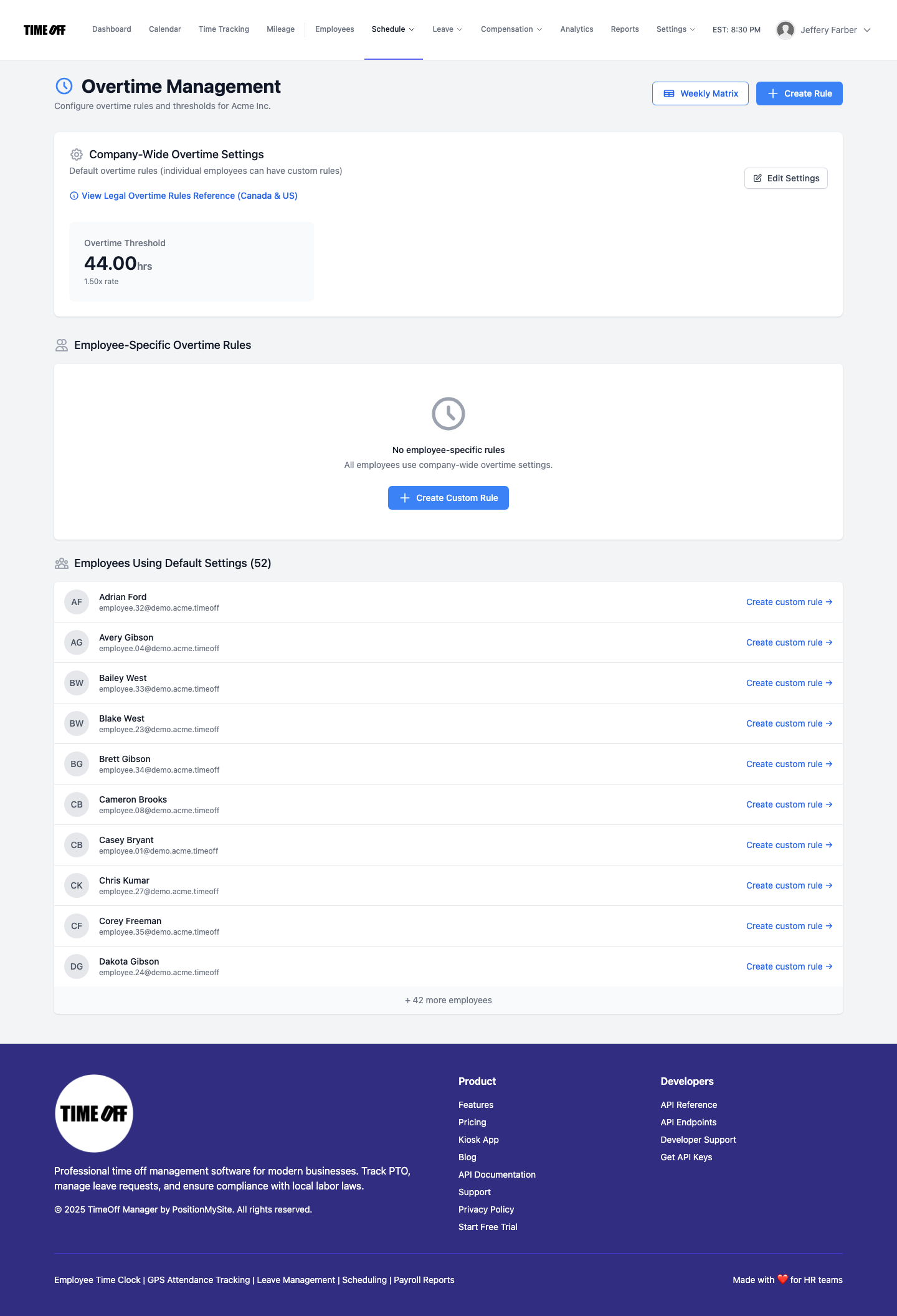
Overtime Management — /admin/overtime
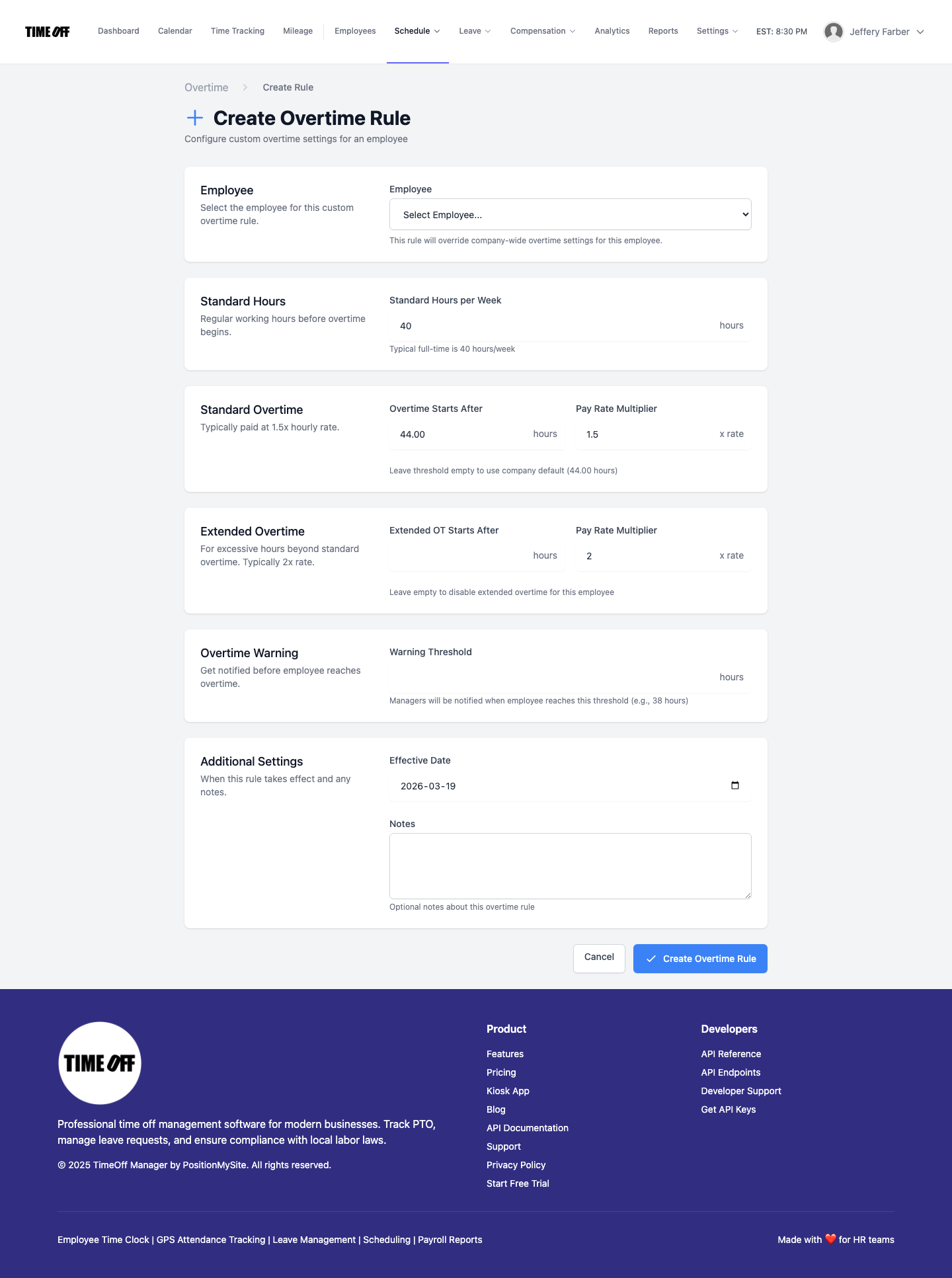
Create Overtime Rule — /admin/overtime/create